 Freshslate
TikTok watch history viewer
See every TikTok video you watched, day by day, plus your likes, favorites and searches. Open the file TikTok gives you when you download your data. It is read in this browser only and never uploaded.
or drop it here · ZIP, JSON or TXT · stays on your device
See your TikTok stats from this file → · Find your comments →
Private by design. This page is served with a security rule that tells your browser to block it from sending anything over the network, so your file cannot leave your device. You can even turn off Wi-Fi after the page loads and it still works.
Screens from the test version of the Freshslate app. The final app may look slightly different.
How to get your TikTok data file
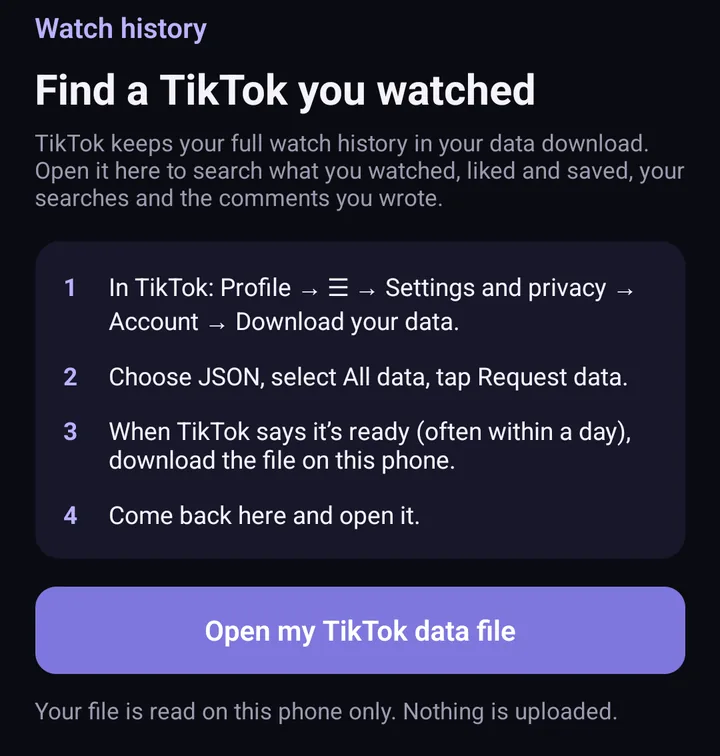
- In the TikTok app, go to Profile → ☰ → Settings and privacy → Account → Download your data.
- Pick JSON as the file format (TXT works here too).
- Choose All data, or a custom selection with Activity and Comments ticked.
- Tap Request data. TikTok says it may take a few days to prepare it.
- When it is ready, download the ZIP from the Download data tab (it stays there for up to 4 days) and open it here. No need to unzip it.
Every step, with what to tick and how long it takes, is in how to download your TikTok data.
What you will see
- Watch history: every video TikTok recorded you watching, grouped by day, with the time you watched it. TikTok's file usually covers about the last six months.
- Likes and favorites: every video you liked or saved, with the date.
- Searches: everything you typed into TikTok search. Use the search box to find a word.
Each video has a link that opens it on TikTok. TikTok's file has no captions or creator names, only the link, so the list shows the video number. Use the date picker to jump to the day you remember watching it.
Questions
Is this safe? Do you see my data?
No. The file is opened by JavaScript running in your own browser. Nothing is uploaded to Freshslate or anyone else, and the page is blocked from making network requests. The parsed lists are kept in this browser tab until you close it or press "Forget my file".
Why are some days missing?
TikTok only puts part of your history in the file, usually about the last 180 days, and may skip videos watched while logged out or on another account.
It says no history was found
Make sure you opened the file from TikTok's "Download your data", not a video or a screenshot. If you requested a custom selection, check that Activity was ticked.
Can I see someone else's watch history?
No. Only the account owner can request this file, and this tool only reads a file you already have.
Find old videos on your phone too
Freshslate opens the same file on your iPhone or Android phone and shows the caption and creator for each video, so you can find that one video faster.
- Remove every repost in one go, and lock the ones you want to keep
- Unlike videos and clear your favorites in bulk
- Find any video you watched in your TikTok data download
- You sign in on TikTok's own page. Your password and data stay with you