 Freshslate
How to undo a repost on TikTok
Your thumb slipped and now a video is sitting on your profile with your name on it. Don't panic. You can undo a repost on TikTok in a couple of taps, and the sooner you do it, the fewer people see it.
Quick answer: If you just reposted, stay on the same video, tap the Share arrow again and tap Delete repost (some versions say Remove repost). Or press and hold the video and tap Remove repost. That's the undo. If you already scrolled away, go to Profile → Reposts tab (two arrows) → open the video → Share → Delete repost. There's no separate "Undo" button, and TikTok doesn't appear to tell anyone that you took it back. Any replies to the repost are deleted with it.
Undo a repost right after you tap it
This is the "oh no" moment. You were watching a video, opened the Share panel to copy a link or send it to a friend, and tapped Repost instead. Or you meant to tap something else in that top row and hit the wrong button. Here's the fastest fix.
- Don't scroll away. Stay on the video you just reposted. That way you don't have to hunt for it.
- Tap the Share arrow on the right side of the screen again.
- The button that said Repost a second ago now says Delete repost (or Remove repost in some versions). Tap it.
- You'll usually see a short message that the repost was removed. Done.
No luck with the Share panel? Press and hold the video and tap Remove repost. This works the same on iPhone and Android. The whole thing takes about three seconds, and because your repost was only live for a moment, very few people (often nobody) will have seen it.
Tip: Right after you repost, your profile photo may show at the bottom of the video. If you see it, the repost went through. Tap that photo and tap Remove to undo it. If you don't see it and the Share panel still says Repost, then nothing was reposted and you're fine.
Some people look for an "Undo" pop-up like in Gmail. TikTok doesn't promise one. If your version shows a short message with an option to take it back, you can tap that too, but don't wait for it. Share → Delete repost does the same job.
Undo a repost later (minutes, days or months)
Maybe you didn't notice until a friend messaged "why did you repost that??" Or maybe you reposted it on purpose last spring and now you'd rather it wasn't on your profile. Either way the fix is the same; you just have to find the video first.
If you know roughly when you reposted it
- Tap Profile at the bottom right.
- Tap the Reposts tab. It's the icon with two arrows in a loop, in the row under your bio.
- Your newest reposts are at the top. If it was today, it'll be the first one.
- Tap the video, tap Share, then tap Delete repost. Or press and hold the video and tap Remove repost.
If it was a long time ago
The Reposts tab has no search and no date filter, so old reposts can be a pain to find. A few ways to speed it up:
- Go to the creator. If you remember whose video it was, search their name, open the video on their profile and tap Share. If you reposted it, you'll see Delete repost or Remove repost.
- Check your Liked tab. You probably liked the video too. Finding it there and opening it gets you to the same Share panel.
- Use your watch history if your app has it. In many versions it's at Profile → ☰ → Settings and privacy → Activity center → Watch history, but the spot changes between versions and it's missing for some accounts; here's where to look.
We go through more ways to track down a repost you can't spot in how to delete a repost on TikTok, including what to do if the Reposts tab itself is missing.
How accidental reposts happen
"Accidentally reposted on TikTok" is one of the most searched repost phrases, so you're in good company. Knowing how it happens helps you avoid it next time.
The Repost button sits right next to the buttons you meant to tap
When you tap Share, the panel that slides up has a top row with your friends to send to, and a row of actions. Repost is one of the first buttons in that panel in most versions. If you're trying to send a video to a friend, copy a link or save the video, it's easy to land on Repost by mistake, especially on a small screen or when you're tapping fast.
One tap, no "Are you sure?"
Repost works with a single tap. There's no confirm screen in most versions, so a stray tap counts. That's convenient when you mean it and annoying when you don't.
Someone else used your phone
Little brothers, sisters, kids and friends grabbing your phone cause a lot of mystery reposts. If you find reposts you don't remember, this is the likely reason. Undo them the same way. If you think someone else has logged into your account on another device, check Profile → ☰ → Settings and privacy → Security and look at your devices or login activity, depending on your version.
You tapped Repost thinking it was "save"
Some people think reposting is like bookmarking, a way to keep a video for later. It isn't. Reposting shares it to your friends and puts it on your profile. If you want to save a video just for yourself, tap the Favorites (bookmark) button instead. Your Favorites tab is private by default unless you've chosen to show it. More on that in can people see your TikTok reposts, likes and favorites.
Who saw it before you undid it?
This is usually the real worry. Here's the honest picture.
- Friends and other people in their For You feed. TikTok says reposts can show in your friends' and community's For You feed, labeled with your profile photo and nickname. If you undo it within seconds, the chance anyone saw it is small. If it was up for hours, some friends probably scrolled past it.
- Anyone who opened your profile while the repost was up could see it on your Reposts tab, if your account is public. If your account is private, only your followers could see it, on your profile and in their For You feed.
- The creator of the video may see that you reposted it in their activity or notifications. TikTok doesn't publish exactly which repost alerts creators get, so assume they could have seen it if it was up for a while.
There is no list that shows who saw your repost. TikTok shows view counts for your own posted videos, not for reposts. So you can't check who saw it, and nobody else can check that you reposted it once it's removed.
Being honest: undoing a repost stops new people from seeing it. It can't make someone forget a video they already saw, and screenshots are always possible. If it was something embarrassing, the best thing is just to remove it fast and move on. Most people scroll by in a second and don't think twice.
What people see after you undo it
Once you remove the repost:
- The video is gone from your Reposts tab. Anyone opening your profile won't see it.
- TikTok stops showing it to your friends as "you reposted". Someone whose feed had already loaded it might still see it once until they refresh.
- As far as anyone can tell, nobody gets a notification that you removed it. There's no "unreposted" message.
- Any replies people left on your repost are deleted, along with any repost text you added.
- If you liked or commented on the video, those stay. A like isn't shown on your profile if your Liked videos are hidden (new accounts hide them by default), but a comment sits under the video for everyone to see. Delete it separately if you don't want it there.
- The original video stays on the creator's account, with all its views and likes. Undoing your repost doesn't affect them.
If you want your likes hidden too, the setting is Profile → ☰ → Settings and privacy → Privacy → Liked videos → Only you. Step by step in how to make TikTok liked videos private.
Why you can't undo a repost
Sometimes the undo just won't work. These are the real causes, from most to least common.
You're looking at a different video
TikTok has lots of near-copies of the same clip posted by different accounts. If the Share panel shows Repost (not Delete repost), you're on a version you didn't repost. Open the one in your Reposts tab instead; that's the exact video you reposted.
The button changed but the profile didn't
You removed the repost, but the video still sits on your Reposts tab. Usually the tab just hasn't refreshed. Pull down on your profile, or close and reopen the app. Open the video again: if Share now says Repost, the undo worked.
You tapped it twice
The button flips back and forth. Tap once and it's removed. Tap again and you've reposted it again. If you're not sure where you ended up, open Share and read the button: Delete repost (or Remove repost) means it's still reposted; Repost means it's gone.
Old app version or a glitch
Update TikTok in the App Store or Google Play, then close and reopen it. If the button still doesn't respond, try switching between Wi-Fi and mobile data, or clear the cache from Profile → ☰ → Settings and privacy → Free up space. Clearing the cache doesn't remove your account or videos.
TikTok slowed you down
If you've just been removing lots of reposts quickly, TikTok may pause your actions for a while and show an error. Wait an hour or two and try again. There's no published limit, so slow and steady is safest.
The video was deleted or hidden
If the creator deleted the video or made it private right after you reposted, you might not be able to open it to remove the repost. In that case it usually drops off your Reposts tab by itself, and nobody else can watch it either.
You're using TikTok Lite
TikTok Lite doesn't have every feature in every region. If you can't find the button there, open the full TikTok app or tiktok.com and undo it there. It's your account, so removing it anywhere works everywhere.
You reposted something that could cause trouble
Sometimes the problem isn't just "oops". You reposted a mean video about someone you know, a rumor that turned out to be fake, a joke that went too far, or something from a creator you didn't realize had a bad reputation. Here's a calm plan.
- Remove the repost first. Every minute it's up, more people can see it in their feed. Tap Share → Delete repost, or press and hold the video → Remove repost.
- Check for other traces. Did you also like it, comment on it, or send it to a group chat? A comment under the video stays public until you delete it. Long-press your comment and tap Delete. Our my TikTok comments tool can list every comment you've written if you're not sure where you left one.
- Say something if it hurt someone. If the video was about a real person who might have seen your repost, a short "sorry, I removed it" message often matters more than the removal.
- Look at your other reposts. If this one slipped through, there may be others from the same week. Scroll the top of your Reposts tab.
You don't need to delete your account or go private over one repost. Removing it quickly fixes most of the problem, and most people never noticed in the first place.
Undo a repost on PC
People also search "how to unrepost a video on TikTok PC". If you reposted from the website, or you just have your computer open:
- Go to tiktok.com and make sure you're logged in.
- If you're still on the video, click the Share arrow (or the repost button, if your layout shows one near the like and comment counts) and choose Delete repost or Remove repost, whichever you see.
- If you've moved on, click your profile picture, open the Reposts tab, click the video and remove it there.
The website layout changes more often than the app, and some people don't see a Reposts tab on desktop at all. If that's you, grab your phone. It takes the same few taps there.
Not a repost? Other "accidentally" mix-ups
The searches around this topic show people mixing up a few different TikTok actions. If removing a repost isn't what you need, one of these probably is.
Accidentally posted a video (your own)
If you posted your own video by mistake, that's a post, not a repost. Open the video on your profile, tap the three dots (...) or the Share arrow, and look for Delete. If you'd rather keep it but hide it, choose Privacy settings and set who can watch to Only me. Deleting can't be undone, so pick Only me if you're unsure.
Accidentally posted to your TikTok story
Stories aren't available in every region or version. If you have them and posted one by mistake, open the story from your profile picture, tap the three dots or the more menu, and tap Delete.
Accidentally reported a video ("undo report")
A lot of people type "undo repost" and get "undo report", or the other way round. Reporting is different: it sends the video to TikTok to review. In most cases there's no button to take a report back. The good news is reports are anonymous, so the creator doesn't learn who reported them, and TikTok only acts if the video really breaks the rules. Reporting a normal video by mistake usually means nothing happens.
Accidentally shared it in a message
Sending a video to a friend in DMs isn't a repost and doesn't show on your profile. If you sent it to the wrong person, open the chat, long-press the message, and look for an option like Unsend or Delete. What's available depends on your version and how long ago you sent it.
Accidentally liked or favorited it
Tap the heart again to unlike. Tap the bookmark again to remove it from Favorites. Neither shows up as a repost. See how to remove TikTok favorites if you have lots to clear.
Undo a repost on Instagram
Instagram has its own repost feature that works differently. This guide is only for TikTok.
How to stop reposting by accident
TikTok doesn't have a setting to turn off your own Repost button or add an "Are you sure?" step. But a few habits help a lot.
- Slow down in the Share panel. Wait half a second after it opens so you're not tapping where a button used to be. The panel can shift as it loads your friend list.
- Use Favorites to save, not Repost. If you want to keep a video for later, tap the bookmark. Only you can see your Favorites unless you've made them public.
- Copy links from the Share panel carefully. Copy link is usually further along the bottom row. Swipe the row a bit if you need to, instead of reaching for it fast.
- Lock your phone before handing it to someone, or use your phone's guided mode or screen time tools so kids can't open TikTok signed in as you.
- Check your Reposts tab once in a while. If it's growing and you don't remember adding things, you'll catch accidents early.
- Think about a private account. If accidents keep happening and you hate the idea of strangers seeing them, a private account means only your followers see your reposts, and you approve who follows you. See how to hide reposts on TikTok for what that does and doesn't hide.
Timeline: what to do and when
| When you notice | What to do | Who likely saw it |
|---|---|---|
| Right away (same video still open) | Tap Share → Delete repost, or press and hold → Remove repost | Almost certainly nobody |
| A few minutes later | Profile → Reposts tab → top video → Share → Delete repost | Maybe a friend or two who were scrolling |
| Hours or a day later | Same as above; it's near the top of your tab | Some friends; profile visitors if public |
| Weeks or months later | Scroll the Reposts tab, or find it via the creator, your Liked tab or watch history | Anyone who opened your profile in that time |
| Lots of old reposts | Remove one by one, or use a bulk tool | Anyone who can see your profile |
Questions people ask
How do I undo a repost on TikTok?
Tap the Share arrow on the video again and tap Delete repost, or press and hold the video and tap Remove repost. If you've left the video, find it in your profile's Reposts tab first.
I accidentally reposted on TikTok. How do I remove it?
Open the video (it's at the top of your Reposts tab if it was recent), tap Share, then tap Delete repost. It's gone from your profile right away.
Is there an undo button for reposts on TikTok?
Not a separate one. The Repost button turns into Delete repost (or Remove repost) after you use it. Tapping that is the undo.
How do I unrepost a video on TikTok on iPhone?
Open the video, tap Share, tap Delete repost. Or press and hold the video and tap Remove repost. It's the same on iPhone and Android.
Can people see if you undo a repost?
Not as far as anyone can tell. There's no notice or history of undone reposts. People who replied to it may notice their reply is gone, since replies are deleted with the repost. People who saw it before you removed it already saw it, but nobody can see that you took it back.
Does the creator get notified when you repost their video?
They may see it in their activity. TikTok doesn't publish every rule, so assume they could. Removing it doesn't appear to send them anything.
How long does a repost stay up before people see it?
There's no delay. As soon as you tap Repost, it's on your Reposts tab and can show to friends. That's why undoing it fast matters most.
Why does it still say Remove repost after I tapped it?
The app may not have updated yet. Close the Share panel and open it again. If it still says Delete repost or Remove repost, tap it once more and wait for the message. Then refresh your profile.
Can I undo a repost on TikTok if the video was deleted?
Usually you won't need to. If the creator deleted the video, it typically disappears from your Reposts tab by itself, and nobody can watch it.
Can you cancel a repost on TikTok before it posts?
No. Reposts happen instantly with one tap. There's no waiting time to cancel in. Just remove it right after.
How do I reverse a repost on TikTok?
"Reverse", "cancel", "undo" and "unrepost" all mean the same thing: Share → Delete repost (or press and hold → Remove repost).
Does undoing a repost remove my like?
No. Likes and reposts are separate. Tap the heart again if you want to unlike it too.
Can I undo a report on TikTok?
Usually no. There's no button to take back a report. Reports are anonymous, and if the video doesn't break TikTok's rules, nothing happens to it.
How do I unrepost every video on TikTok?
TikTok has no "undo all" button. You can remove them one at a time, or read how to delete all reposts on TikTok for faster options.
Undo years of reposts at once with Freshslate (coming soon)
One accidental repost takes three seconds to fix. But maybe looking at your Reposts tab made you realize there are hundreds of old ones in there, from phases you'd rather forget. Undoing those one at a time is slow, and going too fast can get you paused by TikTok.
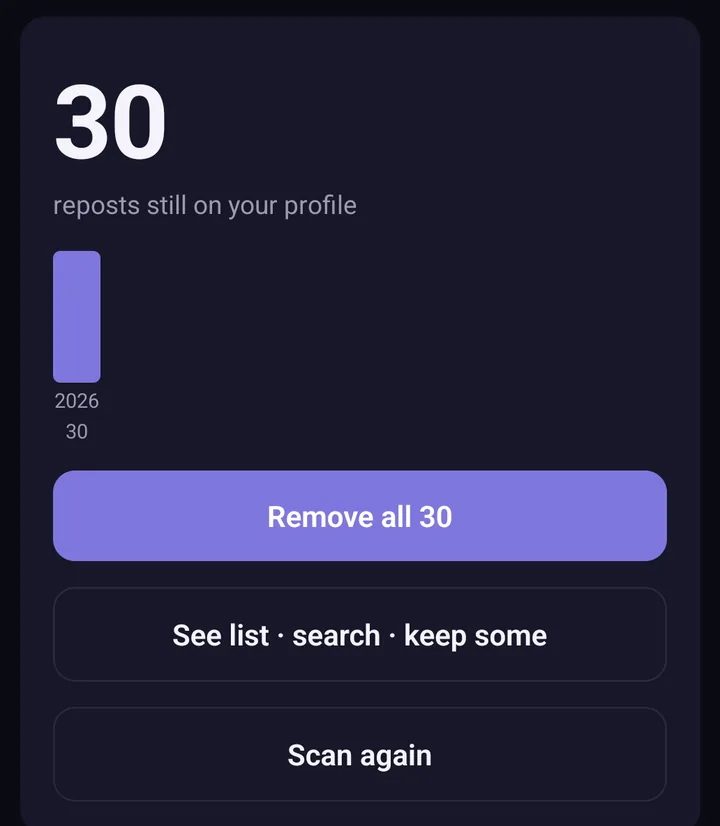
Screens from the test version of the Freshslate app. The final app may look slightly different.
Freshslate, coming soon to iPhone and Android, scans your reposts and lays them all out with a chart of how many you made each year. You can search them by creator, caption or date, lock the ones you want to keep, and remove the rest at a steady pace of about 2 seconds each. You can pause, leave and come back whenever you like. You sign in on TikTok's own page inside the app, Freshslate never sees your password, and everything stays on your phone.
Curious? Click through the interactive demo to see how it works on a sample profile.
Updated November 16, 2026. TikTok changes its menus from time to time; if a button has moved, tell us at [email protected].
Years of reposts you'd like to undo?
Freshslate removes your old reposts in bulk while you keep the ones you lock.
- Remove every repost in one go, and lock the ones you want to keep
- Unlike videos and clear your favorites in bulk
- Find any video you watched in your TikTok data download
- You sign in on TikTok's own page. Your password and data stay with you