 Freshslate
TikTok watch history: where it is, why it's gone, and how to find a video you watched
TikTok keeps a list of the videos you watched, but it is tucked away in a menu, in most versions it seems to go back only about six months, and for some people it vanishes or stops updating. This guide shows you where it is on every device, what to do when it's missing, and how to find a video you saw a long time ago.
Quick answer: In many versions of the TikTok app, it's at Profile → ☰ → Settings and privacy → Activity center → Watch history. In some versions you can also reach it straight from the ☰ menu. TikTok's Help Center has no page for watch history and the menu moves between updates, so if it's not there, type "watch history" in the search box in Settings and privacy. If it's missing, update the app, check that watch history is turned on, and make sure you're not using TikTok Lite or the website, where it often isn't offered. For older videos, or if the list is gone, download your TikTok data and open it in our free watch history viewer.
Where is TikTok watch history?
Watch history is a list inside the TikTok app of the videos you have watched. It is not on your profile page and it is not a tab next to your videos, reposts and likes. That's why so many people search "where is TikTok watch history now" — it's buried a few taps deep.
In many versions of the app, it lives in the Activity center. The Activity center is a page in your settings that can also hold things like your comment history and, in some versions, your search history. To get there, you start from your own profile.
The usual path people report is (TikTok doesn't publish one, so yours may differ):
Profile → ☰ (three lines, top right) → Settings and privacy → Activity center → Watch history
In some versions, tapping ☰ shows a short menu with "Activity center" or "Watch history" right at the top, so you don't have to open Settings at all. TikTok moves this around between updates, so if your screen looks a little different from what we describe, look for the words "Activity center" or "Watch history" anywhere in the ☰ menu or in Settings and privacy.
Tip: In Settings and privacy there is often a search box at the top. Type "watch history" into it and tap the result. This is the fastest way to find it when TikTok has moved the menu again.
How to see your watch history on TikTok, step by step
On iPhone
- Open the TikTok app and make sure you're signed in.
- Tap Profile in the bottom right corner.
- Tap the ☰ icon in the top right corner.
- Tap Settings and privacy.
- Tap Activity center. Where it sits in the list changes between versions, so scroll or use the search box if you don't see it.
- Tap Watch history.
You'll see a grid of small video thumbnails, newest first. Tap any one to watch it again. In many versions, the list is split by day, so you can scroll down to "Yesterday" or a date last week.
On Android
The steps are usually the same on Android phones: Profile → ☰ → Settings and privacy → Activity center → Watch history. The only difference you may notice is where the buttons sit on the screen. On some Android phones, the ☰ menu opens a panel from the side or bottom with a shortcut to Activity center on it.
Android users sometimes get new TikTok features earlier or later than iPhone users. If a friend with an iPhone has watch history and you don't, that alone can be the reason. More on that in the next section.
Searching inside your watch history
In some versions there is a search bar at the top of the watch history page. If you see it, you can type a word from the caption or the creator's name to find a video without scrolling. If there's no search bar, your version doesn't have it yet. You can still search the full list in our viewer after you download your data (see below).
Did TikTok get rid of watch history?
This is one of the fastest-growing TikTok questions on Google right now. Searches like "did TikTok get rid of watch history", "TikTok watch history gone" and "where is watch history on TikTok" come up a lot.
The short answer: there's no sign TikTok has removed watch history for everyone. TikTok's Help Center doesn't have a page about it, so we can't point you to an official answer. Most people who think it's gone are dealing with one of these:
- It moved. Watch history has shown up in different places between updates, such as the ☰ menu and the Activity center. People who used to find it in one spot think it's gone when it's simply somewhere else.
- It's switched off. If watch history was turned off (on purpose or by accident), the list can look empty or stop adding new videos.
- Your app version or region doesn't have it. TikTok rolls features out in stages and tests changes on small groups. Some accounts lose the option for a while and get it back later.
- You're on TikTok Lite or the website, where watch history often isn't offered at all.
- A bug. Every so often, a TikTok update breaks the watch history page for a day or two. You'll see posts like "TikTok watch history not working today" when this happens.
If it's missing for you today, it may come back after an update. Work through the fixes below before you assume it's gone for good.
TikTok watch history not working, not showing or not updating
People describe this problem in lots of ways: "watch history not showing", "not updating", "not loading", "blank", "only showing yesterday", "stuck", "something went wrong". Here is each real cause and what to do about it.
1. Your app is out of date
Older versions of TikTok can have a broken or missing watch history page. Open the App Store (iPhone) or Google Play (Android), search for TikTok, and tap Update if you see it. Then close TikTok all the way and open it again.
2. Watch history is turned off
If watch history is off, TikTok stops saving new videos to it. The page may say there's no watch history, or show only old videos. See how to turn it on below.
3. It's only showing yesterday, or not today's videos
Many people notice their list "only shows yesterday" or "isn't up to date". Watch history doesn't always update the second you finish a video. There can be a delay. Also, if you only watched a video for a second or two while scrolling, it may not be saved at all. Give it some time, then pull down on the page to refresh.
4. The page is blank or says "Something went wrong"
This is usually a loading problem, not lost data. Try these in order:
- Switch between Wi-Fi and mobile data, or turn Airplane mode on and off.
- Close TikTok fully (swipe it away in the app switcher) and open it again.
- Clear TikTok's cache: Profile → ☰ → Settings and privacy → Free up space → Cache → Clear. This doesn't delete your account, likes or videos. (Be careful not to clear drafts — those live only on your phone. See our drafts guide.)
- Log out and log back in.
- Wait a day. If TikTok itself is having trouble, it often fixes it on their side within a day or two.
5. It's not showing everything, or videos are missing
Watch history doesn't keep every video forever. In most versions, videos older than about 180 days seem to drop off. Videos that were deleted by the creator, made private, or taken down by TikTok also disappear from your list, because there's nothing left to show. LIVE videos often aren't saved in watch history either. If you're missing a specific video, jump to other ways to find a video you watched.
6. You're on a different account
Watch history is saved per account. If you switch between two TikTok accounts on the same phone, each one has its own list. Check that you're on the account you were using when you watched the video.
7. You weren't signed in
TikTok can't save watch history when you browse without an account. If you watched videos while logged out, there's no history to find. "TikTok watch history without account" doesn't exist.
8. The option is gone from your menu
If you've updated, searched Settings for "watch history" and still can't find it, your account probably doesn't have the feature right now. This happens in some regions and on some test versions. You can't switch it back on yourself. The good news: TikTok says the data you can download may include your watch history, so you can still get the list from your TikTok data download.
| What you see | Most likely cause | What to try |
|---|---|---|
| No "Watch history" in the menu | Moved, old app, or not offered on your account | Search "watch history" in Settings, update the app |
| Page says no history | Turned off, or new account | Turn watch history on |
| Only shows yesterday | Normal delay | Wait a few hours, pull down to refresh |
| Blank or "Something went wrong" | Loading bug or bad connection | Restart app, clear cache, switch network |
| One video is missing | Video deleted, too old, or you scrolled past fast | Check likes, favorites, search history, data download |
| Nothing on the website or Lite | Not offered there | Use the full app on a phone |
How to turn TikTok watch history on (or off)
In many versions of the app, the watch history page has its own settings. Here's how to check:
- Go to Profile → ☰ → Settings and privacy → Activity center → Watch history.
- Look at the top right corner for a gear icon or three dots.
- Tap it. If you see a switch called Watch history, turn it on to start saving videos again, or off to stop.
Not every version has this switch. Some versions only let you delete videos from the list, not stop it from saving. If you don't see a gear or switch, your version doesn't offer one — that's not something you did wrong.
Good to know: Turning watch history off changes the list in your app. Don't expect it to reset what TikTok shows you on For You, which is based on what you watch and do. If that's what you're trying to change, see our guide to resetting your For You page.
If you turned it off and then back on, there may be a gap in your list for the days it was off. Don't expect that gap to fill in later.
TikTok watch history on PC, the website and TikTok Lite
On PC, Mac, laptop or Chromebook (tiktok.com)
People search "TikTok watch history on PC", "on desktop", "on laptop", "on Chromebook" and "on MacBook" a lot. The honest answer: in most cases, the TikTok website does not show your watch history. The website has your profile, likes, favorites and settings, but the Activity center watch history list is a phone-app feature for most accounts.
Some people report seeing a history option on the website for a short time, so it's worth a quick look: sign in at tiktok.com, click your profile picture, and check the menu and Settings for "Watch history" or "Activity". If it's not there, here's what works on a computer:
- Request your data from tiktok.com (Settings → Privacy → Download your data), then open the file in our watch history viewer, right in your computer's browser. Full steps are in our data download guide.
- Check your browser's own history. If you watched TikTok in a browser, the page address of each video you opened directly may be in your browser history (press Ctrl+H on Windows or Cmd+Y in most Mac browsers). Videos you scrolled past in the feed usually aren't listed one by one, though.
A Chrome extension that claims to show your TikTok watch history isn't needed and we don't recommend giving any extension access to your TikTok account. The data download gives you the real list straight from TikTok.
On TikTok Lite
TikTok Lite is a smaller version of the app sold in some countries. In many regions, TikTok Lite doesn't have watch history. If you search "how to see watch history on TikTok Lite" and can't find it in the menu, that's why. You can install the full TikTok app and sign in with the same account to see it there, because your history is saved to your account, not to one app.
On a TikTok Pro or business account
Business and creator accounts use the same app, so the path is the same. If you don't see it, it's the same causes as above — app version, region, or it's turned off.
How far back does TikTok watch history go?
In most versions of the app, watch history seems to show roughly the last 180 days — about six months. TikTok doesn't publish the limit, and older articles say "one week", so it has changed before and may change again. Anything older than the limit drops off the list in the app on its own. You don't have to do anything for that to happen.
This is the answer to several common questions:
- "Does TikTok watch history delete itself?" It seems so. In most versions, old entries drop off after about 180 days.
- "TikTok watch history last year" — you can't see last year's videos in the app.
- "TikTok watch history by date / filter by date / date range" — the app groups videos by day in many versions, but there's no date filter. Our viewer lets you pick a day from your data file.
The watch history in the data download usually covers about the same period, roughly the last six months. TikTok also says the last 24 to 48 hours of some data may not be in the file, because of processing time. So if you want to keep a longer record, download your data every few months and save the file somewhere safe.
How to find videos you watched more than 180 days ago
If the video isn't in your app's list anymore, your best tool is TikTok's own data download. It's a file TikTok makes for you that includes a list of watched videos, each with the date and time and a link to the video.
- Request your data: Profile → ☰ → Settings and privacy → Account → Download your data. Pick JSON and make sure Activity is included. Our download guide walks through every screen.
- Wait for the file. TikTok says it may take a few days to prepare, and the app tells you when it's ready.
- Download the ZIP from the Download data tab on the same page. The file is only there for up to 4 days, so don't wait too long.
- Open our watch history viewer and pick the file. It's read in your browser only and never uploaded anywhere.
- Pick the day you think you watched the video, or scroll through. Tap a link to open the video on TikTok.
The file only has the link and time, not the caption, so you may need to open a few links to find the right one. If you know roughly when you saw it — "last Tuesday night", "the week of my birthday" — that narrows it down a lot. Our TikTok stats page can also show your busiest days and hours from the same file, which helps if you're trying to remember when you were scrolling.
Honest limit: If even the data file doesn't go back far enough, there's no other place to get older watch history. Anyone who says they can show you TikTok history from years ago is guessing.
Other ways to find a video you watched on TikTok
"How to find a video I watched on TikTok" is a huge search, with lots of versions: "a video I just saw", "a video I watched yesterday", "a video I watched but didn't like". Watch history is the first place to look, but these other spots often find it faster.
The video you just watched (seconds ago)
If you scrolled past it a moment ago, just swipe down on the For You feed to go back through the videos. This works as long as you haven't closed the app or refreshed the feed. If the app refreshed, check watch history right away — the newest videos are at the top.
Your liked videos
If you tapped the heart, it's in your liked videos: go to your Profile and tap the tab with the heart icon. Likes are sorted newest first. If you want to keep these private, see how to make your liked videos private.
Your favorites
If you tapped the bookmark (Favorites) button, open your Profile and tap the bookmark tab. Favorites can hold videos, sounds, effects and more. Our favorites guide explains how this tab works.
Your reposts
If you reposted it, it's on your Profile in the tab with the two-arrows icon.
Your search history
If you found the video by searching, tap the search icon and look at your recent searches. Tap the one you used and the same results often come back. See our search history guide for where it is and how it works.
The sound
If you remember the song or audio, search for it in TikTok, open the sound page, and scroll through videos that use it. This is great for trends where you remember the music but not the creator.
Your messages and comments
If you sent the video to a friend, it's in your chat with them in your Inbox. If you commented on it, your comment history in the Activity center (where offered) or our comments tool can show every comment you wrote, with a link back to each video.
Search with what you remember
Type words you remember from the caption, text on screen, or what happened in the video into TikTok search. Then tap the filter button (in most versions) to sort by date posted. Adding "this week" or a creator name you half remember can help too.
A video you watched but didn't like or save
This is the hardest one. Your options are watch history (if it's within 180 days and you watched it long enough to count), the data download, or searching for it. That's it. There's no hidden list beyond those.
How to delete your TikTok watch history
You can remove single videos or clear the whole list in most versions:
- Open Profile → ☰ → Settings and privacy → Activity center → Watch history.
- Tap Select (top right in most versions).
- Tap the videos you want to remove, or choose the option to select all.
- Tap Delete and confirm.
These button names vary by version, and TikTok's Help Center doesn't cover them, so yours may look a little different.
Some people wonder "does deleting TikTok watch history change the algorithm?" It doesn't reset your For You feed on its own. The feed learns from what you watch, like, share and skip over time. Use "Not interested" and the refresh option in Content preferences if you want a new feed — see our reset guide.
And "does deleting TikTok watch history free up storage?" Not really. The list is saved on TikTok's side, not as video files on your phone. To free up space, use Free up space in Settings and privacy to clear the cache.
Is TikTok watch history private?
Yes. Your watch history is only shown to you, inside your own account. Other people can't open your watch history, and creators don't get a list of who watched their videos. Searches like "is my TikTok watch history visible to others" and "is TikTok watch history public" come up a lot, and the answer is no.
A few things people mix up with watch history:
- Profile views. TikTok has a separate setting that, when it's turned on for both people, can show that you looked at someone's profile. That's about profiles, not videos, and you can turn it off in Settings and privacy → Privacy → Profile views.
- Likes, favorites and reposts. These are things you did, and some of them can be seen by others depending on your settings. Watch history isn't one of them. Our guide can people see your TikTok reposts, likes and favorites explains each one.
- Someone using your phone. Anyone who can open TikTok on your phone while you're signed in can see your watch history. If that worries you, delete the list or turn it off.
If you've seen "why is my TikTok watch history in my bio" or "watch history on profile" — that's people being confused by a new shortcut button or a creator joking around. TikTok doesn't put your watch history in your bio.
Questions people ask
Did TikTok get rid of watch history?
There's no sign it's gone for everyone. It has moved around and can be missing on some accounts, regions, TikTok Lite and the website. Search "watch history" in Settings and privacy and update the app before assuming it's gone.
Where is TikTok watch history now?
In many versions: Profile → ☰ → Settings and privacy → Activity center → Watch history. Some versions show it right in the ☰ menu. TikTok's Help Center doesn't list a path, so search "watch history" in Settings if yours looks different.
Why is my TikTok watch history not updating?
New videos can take a while to show up, very short views may not count, and it won't save at all if watch history is turned off. Restart the app and check the setting.
Why is my TikTok watch history only showing yesterday?
Usually it's just a delay. Today's videos often appear later. Pull down to refresh, or check again in a few hours.
Does TikTok have a watch history on PC?
Usually not on tiktok.com. Use the data download from the website and open it in our viewer to see it on a computer.
How far back does TikTok watch history go?
About 180 days in most versions, based on what users see. TikTok doesn't publish an official limit. Older entries drop off on their own.
Can I see TikTok watch history from last year?
Not in the app. Only if you saved a data download from back then.
Is TikTok watch history private?
Yes. Only you can see it in your account.
Can someone see what I watch on TikTok?
Not through watch history. Creators can see total view counts, not names. What others might see are your public likes, reposts and comments.
Does TikTok watch history include LIVEs?
Usually not. LIVE streams often don't show up in watch history.
Does TikTok watch history show deleted videos?
No. If the creator deleted the video or made it private, it disappears from your list.
How do I find a video I watched on TikTok but didn't like?
Check watch history first, then your search history and the sound. For older videos, download your data and open it in our viewer.
Why can't I find watch history on TikTok Lite?
Many versions of TikTok Lite don't include it. Sign in on the full TikTok app to see it.
Can I turn off TikTok watch history?
In many versions, yes — tap the gear or three dots on the watch history page. Some versions only let you delete entries.
Does deleting watch history change my For You page?
Not by itself. Use "Not interested" and the refresh option in Content preferences.
Is TikTok watch history accurate?
Mostly, but not perfectly. Videos you only flicked past may not be listed, and very new views can be late to appear.
Can I see TikTok watch history without an account?
No. TikTok only saves watch history for signed-in accounts.
Faster: search your whole watch history with Freshslate (coming soon)
Scrolling through hundreds of tiny thumbnails to find one video is slow, and the app's list seems to stop at about six months. Freshslate, our app coming soon to iPhone and Android, has a Watch History Finder that opens TikTok's own data file on your phone and lets you search every video you watched by date and creator. Your file stays on your phone — there are no Freshslate servers, and you sign in on TikTok's own page, so we never see your password.
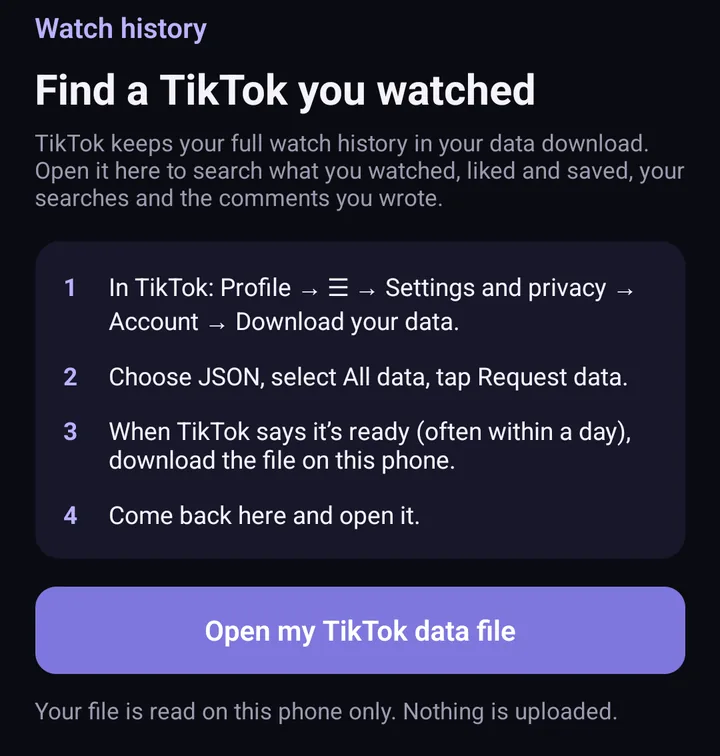
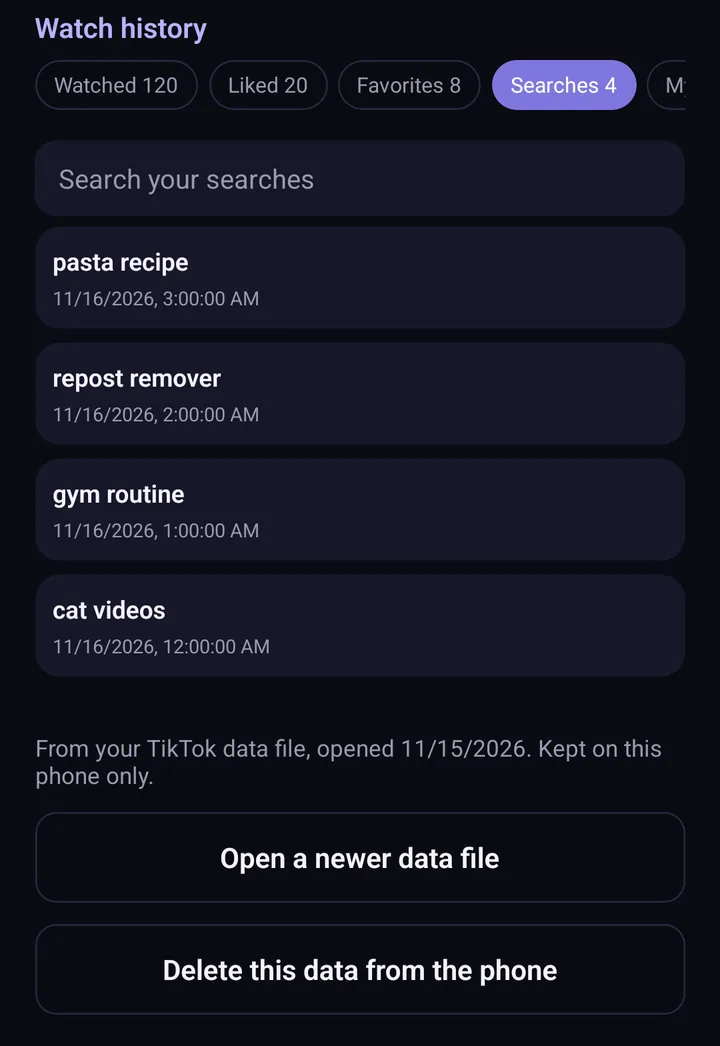
Screens from the test version of the Freshslate app. The final app may look slightly different.
The same app also helps you clean up what others can see: remove your reposts in bulk, unlike videos, clear favorites and run a Privacy Checkup. Until it's out, our free watch history viewer does the search part right in your browser.
Updated November 16, 2026. TikTok changes its menus from time to time; if a button has moved, tell us at [email protected].
Find that one video faster
Freshslate's Watch History Finder opens TikTok's data file on your phone and lets you search every video you watched by date and creator.
- Remove every repost in one go, and lock the ones you want to keep
- Unlike videos and clear your favorites in bulk
- Find any video you watched in your TikTok data download
- You sign in on TikTok's own page. Your password and data stay with you